
10 Best Instagram Highlight Viewer [Anonymous & Free] 2026
 Posted By: Lucy Lauria
- Category: Video Downloading Tips
- Updated On: March 11, 2026
Want to view Instagram Highlights anonymously without logging in? Need to download Highlights in HD or track engagement beyond 48 hours? The best Instagram highlight viewers let you access public Highlights hassle-free—no account required. To help you pick the right one, we’ve rounded up the 10 best Instagram Highlight Viewers, complete with core features and pro tips to avoid pitfalls.
Further Reading:
Part 1: Top 10 Instagram Highlight Viewers You Should Try
Top 10 Instagram Highlight Viewers Comparison Table
| Tool Name | Is Free | Need Login / Registration | Core Features |
|---|---|---|---|
| Inflact | Freemium (7-day $3 trial) | Yes (Inflact account required) | Anonymous highlight viewing & HD download; advanced analytics; competitor research; post scheduling; AI hashtag tools; bulk DM |
| StoriesIG | 100% Free | No | Anonymous highlight & Story viewing; HD watermark-free download; basic profile info |
| Insta Super Save | 100% Free | No | Anonymous highlight viewing; HD download; supports posts, Reels, avatars; Facebook downloads |
| IGComment | 100% Free | No | Anonymous highlight viewing; HD download; comment export (CSV) |
| StorySaver.net | 100% Free | No | Anonymous highlight viewing; HD download; archived highlight access |
| AnonyIG | 100% Free | No | Anonymous highlight, Story & Reels viewing; HD download; no traces |
| StoryNavigation | 100% Free | No | Anonymous highlight viewing; HD download; profile stats; like & comment checks |
| Mollygram | 100% Free | No | Anonymous highlight & Story viewing; HD download; incognito mode; multi-language support |
| SaveIG | 100% Free | No | Fast anonymous highlight viewing; HD download; supports photos, videos, Reels |
| InDown Instagram Viewer | 100% Free | No | Anonymous highlight viewing; HD download; engagement analysis; followed private account access |
⚠️ Security Reminder: In 2026, many phishing websites have appeared on the market. Among the 10 tools we tested, none require login except Inflact. Please remember: any online viewer that asks for your Instagram password poses a risk of account theft.
1. Inflact
Website: https://inflact.com/
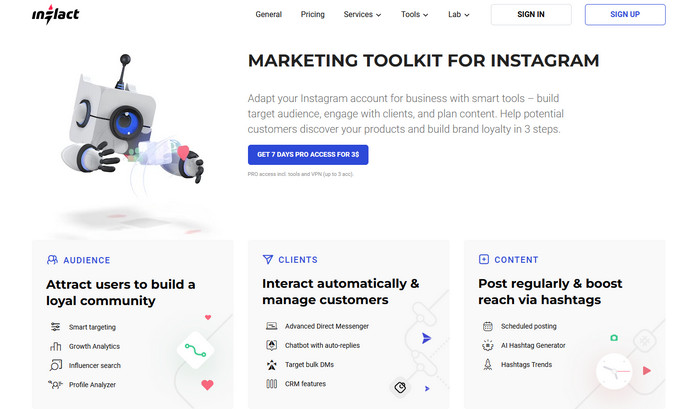
As a top anonymous Instagram highlight viewer for marketers, Inflact offers advanced analytics beyond Instagram’s native tools. It allows users to view Instagram Highlights anonymously while tracking engagement metrics beyond 48 hours. You can also download Highlights in HD without detection. Inflact's free version only allows downloading up to three times per day and get limited profile analytics. If you want to unlock additional download limits, view more details about some profiles or get more advanced features, you are required to pay.
Beyond highlight viewing, Inflact also enables you to anonymously view Instagram posts, Stories, and Reels without being detected, which is ideal for competitor research. By entering industry-related keywords, you can filter active and relevant accounts, helping you identify potential followers and choose suitable influencers for collaborations.
One of the standout features of Inflact is its AI-powered analytics. It can automatically send welcome messages to new followers and bulk direct messages to potential customers. No need to publish content manually at specific times; you can also schedule posts in advance with it. Meanwhile, detailed analytics allow you to track follower growth and engagement rates for both your own and competitors’ accounts.
- Anonymous Instagram Highlight Viewer, no login required and no browsing traces.
- Download Instagram highlight videos and photos in original quality.
- Supports anonymous viewing of posts, Stories, and Reels.
- Includes keyword filtering, automation, analytics, and AI hashtag tools.
- Flexible subscription plans with a 7-day $3 trial.
- Most advanced features require a paid plan.
- The free version offers very limited functionality.
- Requires signing in to an Inflact account.
2. StoriesIG
Website: https://storiesig.info/en/
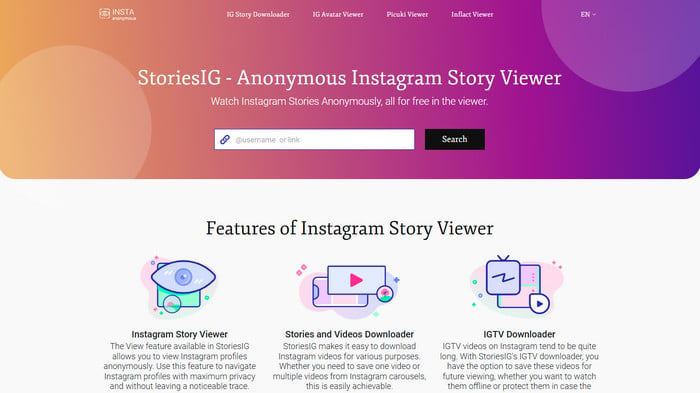
StoriesIG is a free and dedicated Instagram Highlight Viewer that allows you to view Instagram Highlights anonymously. It works without requiring any login credentials and lets you view Highlights from private accounts you already follow. Unlike many similar services, StoriesIG does not require sign-up and does not store user data, ensuring complete anonymity when browsing Highlights discreetly. Simply enter an Instagram username or link, and the site will display all available content, with download buttons to save photos, videos, Reels, and Highlights locally.
This tool is completely free and free of intrusive ads. Its clean and simple interface makes it easy to use even for first-time users. However, note that you may be briefly redirected to ad pages after submitting a link. If this happens, just return to the previous page to view the content extracted by StoriesIG.
- No Instagram login or StoriesIG account registration required.
- Supports downloading original-quality content without watermarks.
- Can view basic account information such as profile picture, posts, and follower count.
- Completely free, with no trial period or usage limits.
- Focuses only on Stories and Highlights; lacks advanced marketing tools like inflact.
- Presence of ads and potential data privacy risks.
- Some private or archived Highlights may not be accessible.
- Does not support bulk operations.
3. Insta Super Save
Website: https://instasupersave.com/en/instagram-story-viewer/
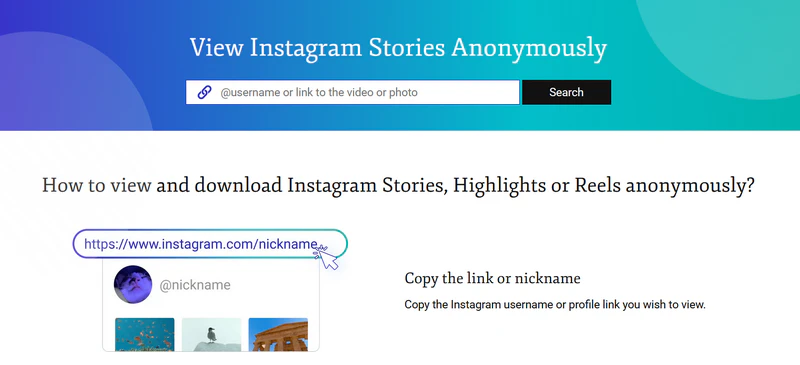
Insta Super Save is a free Instagram Stories and Highlight viewer. Similar to StoriesIG, simply enter a link and click search, and you will see all content under the account, including posts, Stories, Highlights, and Reels. Each item also displays data such as time, likes, and comments, along with a download button to save it in original quality.
In addition to anonymously viewing Instagram Highlights, this free online tool allows you to download Instagram avatars, photos, and even Facebook content. Everything is completely free, and no account registration is required.
- No Instagram login or account registration required.
- Core downloading features are completely free, with no limits on usage, time, or hidden charges.
- Supports downloading Instagram posts (including carousels), Stories, Highlights, Reels, avatars, IGTV, and even public Facebook content
- Contains ads and pop-ups.
- Some private or archived Highlights may not be accessible.
- High-quality downloads may occasionally be unstable.

Whether you want to download MP4 movies for offline travel viewing or permanently save classic films, you’ll find the best option among the top 10 movie downloaders of 2026. Learn more > >
4. IGComment
Website: https://igcomment.com/instagram-highlight-viewer/
IGComment is a web-based Instagram comment export tool that allows you to batch fetch and export comments from public posts as CSV files—no Instagram login required. It’s ideal for quickly collecting and organizing public comments for analysis.
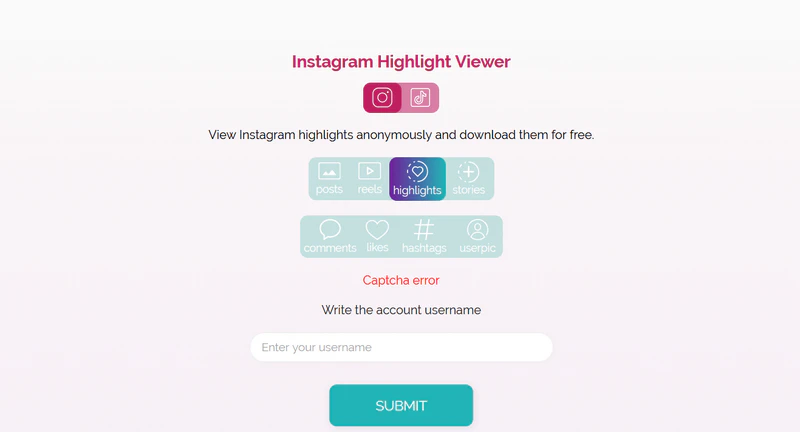
In addition to comment exporting, IGComment offers paid services to buy likes, comments, or other engagement metrics. The platform also lets you view Instagram Highlights anonymously and download them for free. Note that, unlike many other tools, IGComment primarily supports searching by Instagram username. Beyond Highlights, you can view posts, Reels, Stories, comments, likes, hashtags, and user profile pictures.
- View and download highlights without anyone knowing.
- Save highlights in their original high resolution.
- Supports on any device—computer, tablet, or smartphone.
- Complete free.
- The tool has relatively limited functionality.
5. StorySaver.net
Website: https://www.storysaver.net/en
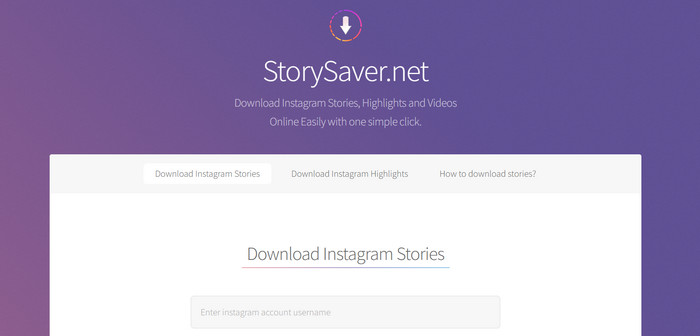
StorySaver.net is an excellent online Instagram Highlights viewer and downloader. It is ideal for casual users looking for a simple way to view and save Highlights. Since no account registration is required, users can quickly access content without any commitments.
The tool works via the account link: simply enter the link and click download. It will display all available Highlights with download buttons underneath. Unlike the previous tools, it does not show post data—only the Highlights content. It also supports viewing archived Highlights. This Instagram Highlight viewer works on PC, Android, and iPhone.
- Free view Instagram Highlight without a account
- Download Instagram highlight videos and photos in original quality.
- Limited functionality.
6. AnonyIG
Website: https://anonyig.com/en/instagram-highlights-viewer/
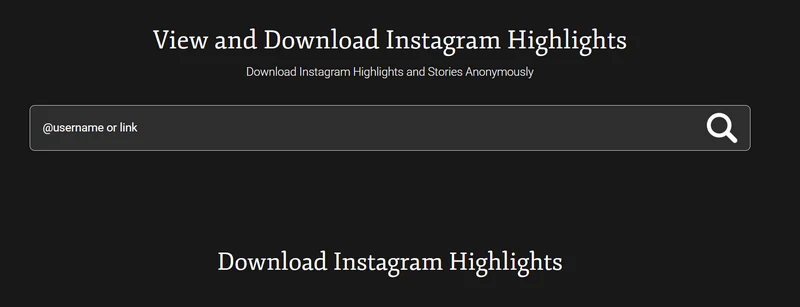
AnonyIG is a minimalist, privacy-focused online Instagram Highlights anonymous viewer. No Instagram login or AnonyIG account registration is required—simply enter a username or content link to anonymously view public account Stories, Highlights, posts, and Reels, without leaving any browsing traces. It also supports one-click, high-quality, watermark-free downloads of this content. All core features are completely free, with no limits on usage or time, and the tool works across PC, tablet, and mobile devices.
However, AnonyIG has relatively limited functionality. It focuses solely on anonymous browsing and content downloading, lacking professional marketing tools. As a result, it may not meet the needs of influencers or businesses requiring in-depth account management. Additionally, like other third-party Instagram tools, it carries compliance and stability risks, since Instagram prohibits third-party content scraping and the tool may be restricted or blocked at any time.
- Anonymous browsing without login.
- Free, watermark-free, high-quality downloads of public content.
- Supports multiple types of public content: Stories, Highlights, Reels, posts, and profile pictures.
- Only supports browsing and downloading.
- Does not support private accounts.
7. StoryNavigation
Website: https://storynavigation.com/
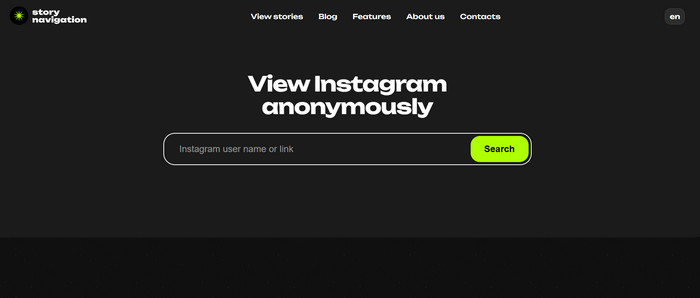
StoryNavigation, like the tools mentioned above, is a free online Instagram highlight viewer. It works similarly, providing all essential features completely free. You can follow any user’s activities anonymously, view stories, download media files, and even see who liked or commented on posts. Unlike other tools, it also offers Tagged and Statistics features, including:
- Profile overview and introduction
- Follower count dynamics over recent days
- Following count dynamics over recent days
- Post count dynamics over recent days
All Instagram information is at your fingertips, and anonymous browsing is just one of its advantages. You don’t need an Instagram account or registration—simply enter the user’s nickname in the search field.
- View Instagram content without being noticed.
- View Stories, download media files, and see likes and comments.
- Offers Tagged and Statistics, including profile overview, follower/following dynamics, and post count trends.
- Limited functionality
8. Mollygram
Website: https://mollygram.com/download-highlights
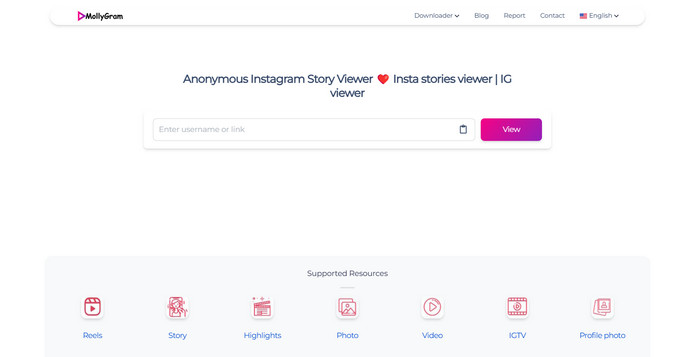
Mollygram is an excellent tool for viewing Instagram Highlights anonymously without logging into your account. It keeps your privacy safe because it works in incognito mode. So, the owners of Instagram accounts won't know that you've been looking at their Highlights.
Mollygram is also great because it supports 12 languages. This means people from all over the world can use it. With its simple interface, you can easily view and download Instagram Stories, Highlights, and photos from public accounts without any registration or app installation.
- No login is required, keeping your privacy safe.
- Simple interface makes it easy to use on any device.
- Free to browse and download HD content.
- Only supports browsing and downloading, no advanced tools.
- Can only access public content, not private or restricted posts.
9. SaveIG
Website: https://savevid.net/en
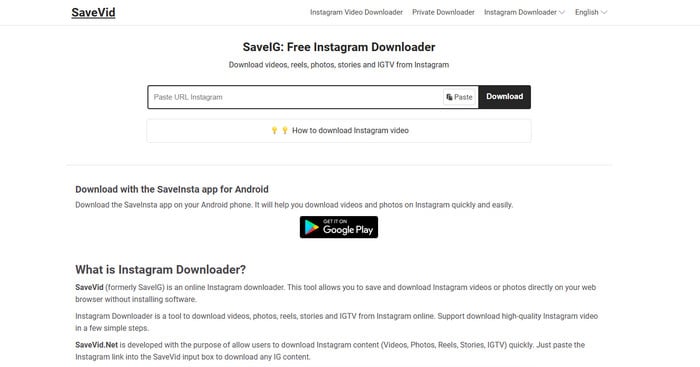
SaveIG is the best choice to view Instagram Highlights and download them quickly. It works on all devices and requires no registration. You can quickly and directly access the content on Instagram without any delay.
SaveIG is particularly known for its speed and reliability. This Instagram Highlight viewer can finish the downloading in just a few seconds. It makes sure that users can save a lot of Highlights in an effective way. Since it is completely free, it’s an excellent option for anyone who frequently downloads Instagram content and wants a seamless experience.
- Allows downloading Instagram photos, videos, and Reels easily.
- Free to use with no account required.
- Works directly in the browser without installation.
- Only works for public Instagram content.
- Ads may appear on the website.
10. InDown Instagram Viewer
Website: https://indown.io/instagram-highlights-download
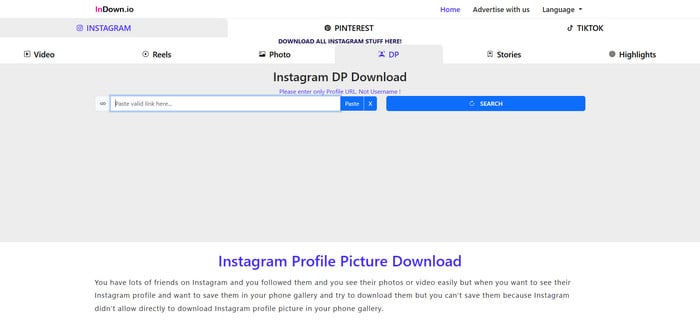
InDown Instagram Viewer is a versatile tool that allows users to view Instagram Highlights and analyze engagement trends. It also supports viewing private accounts if you follow them. This functionality proves invaluable for individuals looking to stay connected with their personal network or monitor the activities of professional contacts.
In addition to Highlight viewing, InDown Instagram Viewer offers profile analysis features that help users understand audience engagement. By examining metrics such as likes, comments, and shares, users can gain valuable insights into the performance of their content and identify areas for improvement.
- Free to use with no account required.
- Downloads content directly from the web without installing apps or extensions.
- Besides highlights, it can often download photos, videos, stories, reels, and profile pictures.
- Ads and pop‑ups may appear.
Part 2: How Do You Save Instagram Story highlights?
While many online tools let you view and download Instagram Highlights, they often lack advanced features like format conversion, batch downloads, or editing capabilities. This is where Any Video Converter stands out.
Unlike basic Instagram Highlight viewers, Any Video Converter not only downloads Instagram Highlights in high quality but also allows you to convert them into different formats, edit them, and even enhance video quality. Whether you need to save Highlights for content repurposing, marketing, or personal archiving, Any Video Converter provides a complete solution with no limitations on file size or quality loss.
Key Features of Any Video Converter
- Enables conversion to well - known formats like MP4, MOV, etc.
- High-quality conversion at high speed with hardware acceleration.
- Batch-download top-quality videos from more than 1000 websites.
- Offers adjustable settings for resolution, frame rate and other factors.
- Has a built-in video editor for trimming, cropping, merging and more.

Step-by-Step Guide to Save Instagram Story Highlights
Step 1 Launch Any Video Converter
Download and install Any Video Converter on your computer. Once installed, open the software to access its video downloading and conversion features.
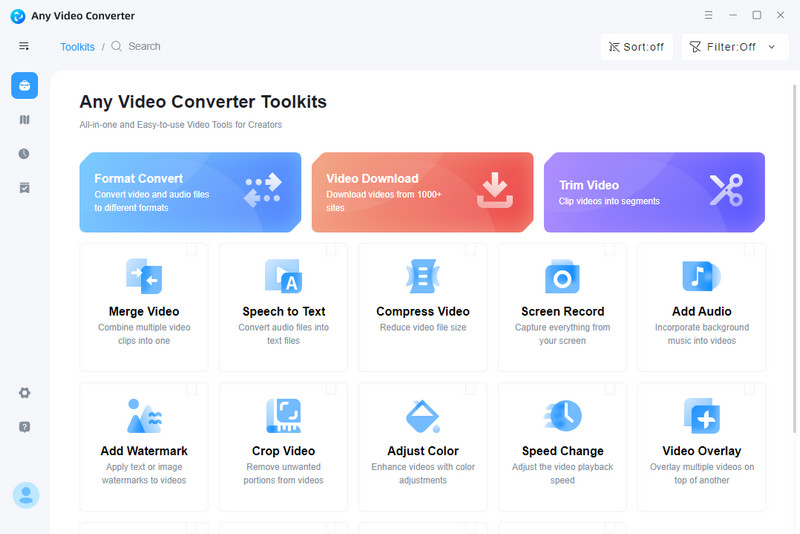
Step 2 Copy and paste the Instagram Highlight Link
Go to Instagram and navigate to the Highlight you want to save. Click on the three-dot menu and select “Copy Link”. Open Any Video Converter, click on the "Download Video" section, and paste the copied Instagram Highlight link into the input box.
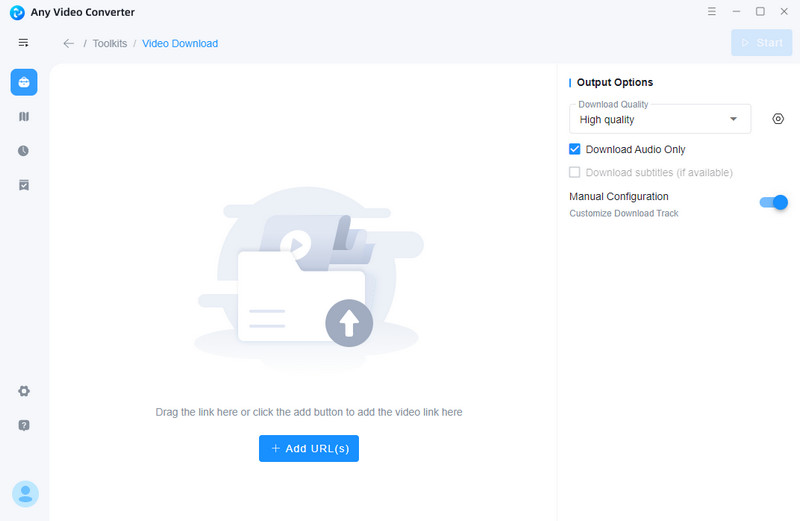
Step 3 Adjust Output Settings
Choose your desired video quality, video and audio format, and bitrate in "Output Options".
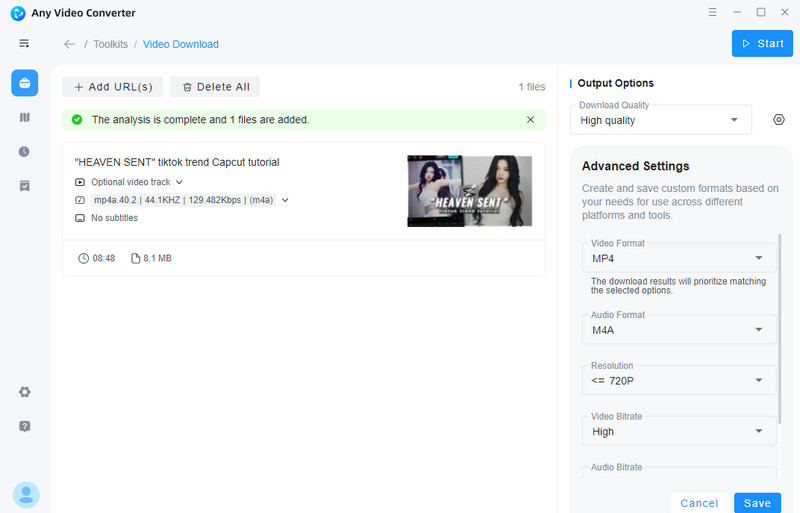
Step 4 Save the Instagram Highlights
Click the "Start" button at the top right to begin downloading and saving Instagram Highlights without watermark.
FAQs about Instagram Highlight Viewer
Can you see who views your highlights on instagram?
Instagram allows users to see who has viewed their Story Highlights, but only within the first 48 hours after posting. After that period, view counts and viewer lists are no longer available. If you need extended analytics, third-party tools like Inflact or StoryNavigation can help track engagement beyond 48 hours.
Can I view Instagram highlights anonymously?
Yes, you can view Instagram Highlights anonymously using third-party tools such as StoriesIG, Anon IG Viewer, and WatchInsta. These tools allow you to browse and even download Highlights without logging in or revealing your identity. However, ensure that you use a trusted service to protect your privacy. If you want to download Highlights for repeated viewing, Any Video Converter is the best tool for saving them in high quality.
How to see hidden highlight on Instagram?
If someone has set their Instagram Highlights to private, you can only view them if you follow their account. There is no official way to see hidden Highlights from a private profile unless the user accepts your follow request. Some analytics tools claim to offer this feature, but be cautious, as Instagram does not officially support such access.
Conclusion
In summary, this guide covers the top 10 Instagram Highlight viewers in 2026, ranging from tools for anonymous viewing to those offering detailed analytics and bulk downloading. For the best experience in saving and managing Instagram Highlights, we recommend Any Video Converter, which lets you download, convert, and edit Highlights in high quality, providing a comprehensive solution for all your needs.